

wgc operations push command.
This not only saves bandwidth but can also help reduce the attack surface by allowing only safe-listed operations.
Architecture
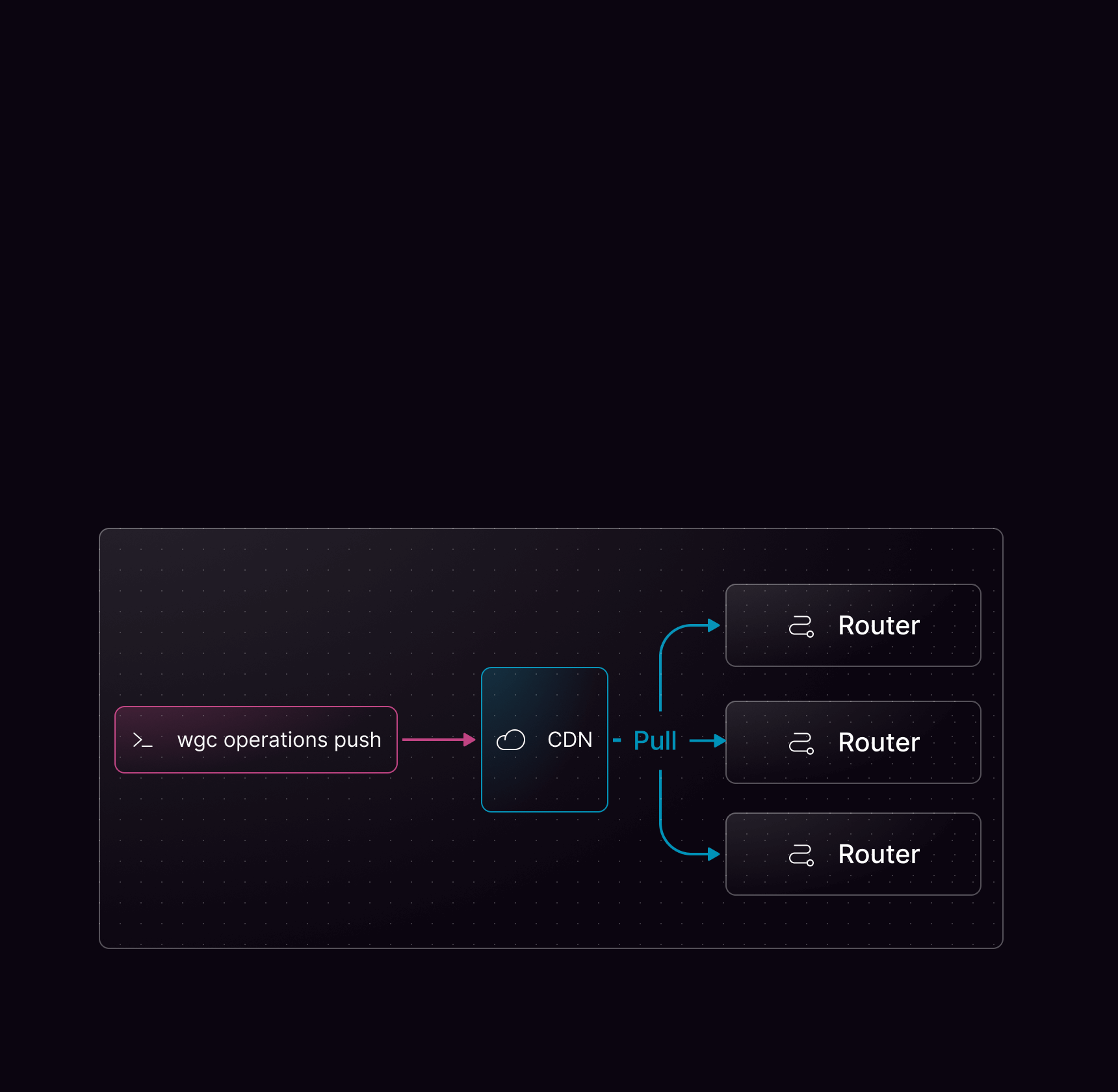
Using persisted operations
Persisted operations require some tooling on the client side. Consult the documentation for your GraphQL client library to find out how to generate a query manifest or query map.Supported manifest formats
wgc operations push automatically detects the format of your manifest file. The following formats are supported:
- Apollo
- Relay
- GraphQL
The Apollo persisted query manifest format:
manifest.json
Pushing operations
Once your manifest is generated, push it usingwgc:
mygraph in the default namespace and your client named web (indicated by the graphql-client-name HTTP header). You can push multiple files at once using the -f flag multiple times.
When pushing the operations, you will see a short summary indicating how many were created and how many were already registered. Use --format json for machine-readable output:
wgc operations push, see Push.
Additionally, check the Using Persisted Operation with Federated GraphQL tutorial for a step-by-step guide.
Deleting persisted operations in Studio
You can delete persisted operations directly in Cosmo Studio after they have been uploaded viawgc operations push.
- Open your federated graph in Studio.
- Go to Clients.
- Open a client and click View Operations.
- Expand the operation and click the delete button.
- Confirm in the delete dialog.
organization-admin or organization-developer roles can delete operations.
Operations are currently deleted one at a time from the UI.
Studio always asks for confirmation before deleting operations. If traffic is detected for the selected operation, the dialog warns that the operation is receiving traffic. If analytics data is unavailable, Studio cannot guarantee that existing clients won’t break. You can always check the metrics using the link in the dialog.
PQL Manifest
By default, the router fetches persisted operations individually from the Cosmo CDN on each request. When the PQL manifest is enabled, the router instead loads all persisted operations from a single manifest file at startup and serves them entirely from memory, eliminating per-request network overhead.wgc operations push or Studio. The router polls for updates using poll_interval and poll_jitter, picking up changes without requiring a restart. You can also load the manifest from a custom storage provider.
When the manifest is enabled, it is authoritative — the router does not fall back to fetching individual operations from the CDN. Unknown operation hashes are rejected immediately.
Cache warmup
When the PQL manifest is enabled, the router automatically warms up its caches by pre-processing all operations from the manifest at startup and after each manifest update. Each operation goes through parsing, normalization, validation, and query planning — the same steps that happen on a regular request. Once warmed, every operation is served entirely from cache with zero processing overhead on the first request. Cache warmup is enabled by default and can be configured or disabled:| Option | Default | Description |
|---|---|---|
enabled | true | Set to false to disable cache warmup for manifest operations. |
workers | 4 | Number of concurrent workers used to pre-process operations. Increase for large manifests. |
items_per_second | 50 | Rate limit for items processed per second. Set to 0 for unlimited throughput. |
timeout | 30s | Maximum time allowed for the warmup to complete. If the timeout is exceeded, the router logs an error but continues serving requests normally. |
Using a custom storage provider
You can load persisted operations from your own S3-compatible storage instead of the Cosmo CDN. First, define a storage provider, then reference it in your persisted operations configuration.Disallowing non-persisted Operations
If you’re going all in on Security, you’d want to only allow Persisted Operations in your Production Environment. By default, non-persisted (dynamic) GraphQL Operations are allowed, which you can disable using the Security Configuration of the Router. We expose 4 different types of persisted operation blocking in the configuration:- Allow all operations (Default) — Both persisted and dynamic operations are permitted.
- Log unknown operations — Any operation that has not been persisted will be logged, but not blocked.
- Safelist — Operations that have been explicitly persisted will be allowed, based on matching the query body against persisted queries.
- Block non-persisted operations — Fully enforced blocking of non-persisted operations, clients are required to send a pre-computed SHA-256 hash instead of a query body.
Migration path to enforcing persisted operations
To migrate from allowing all operations to a more restrictive option incrementally, we recommend following these steps:Enable log_unknown
This will log when clients use operations that have not been persisted, helping you identify which operations to persist.
Enable safelist
This will allow users to send operations with any query body, but only execute if they match a persisted operation.
Important Considerations
-
Whitespace sensitivity Differences in whitespace can alter an operations hash, which will cause it to be rejected as an unknown operation. We recommend using
log_unknown_operationsbefore enabling full blocking. -
Compatibility with Automatic Persisted Queries (APQ) The
safelistoption cannot be used alongside APQ, as their functions are opposite.